
Hatz AI Triggers Run Workflows Hourly Without Login — Zero Manual Kickoff
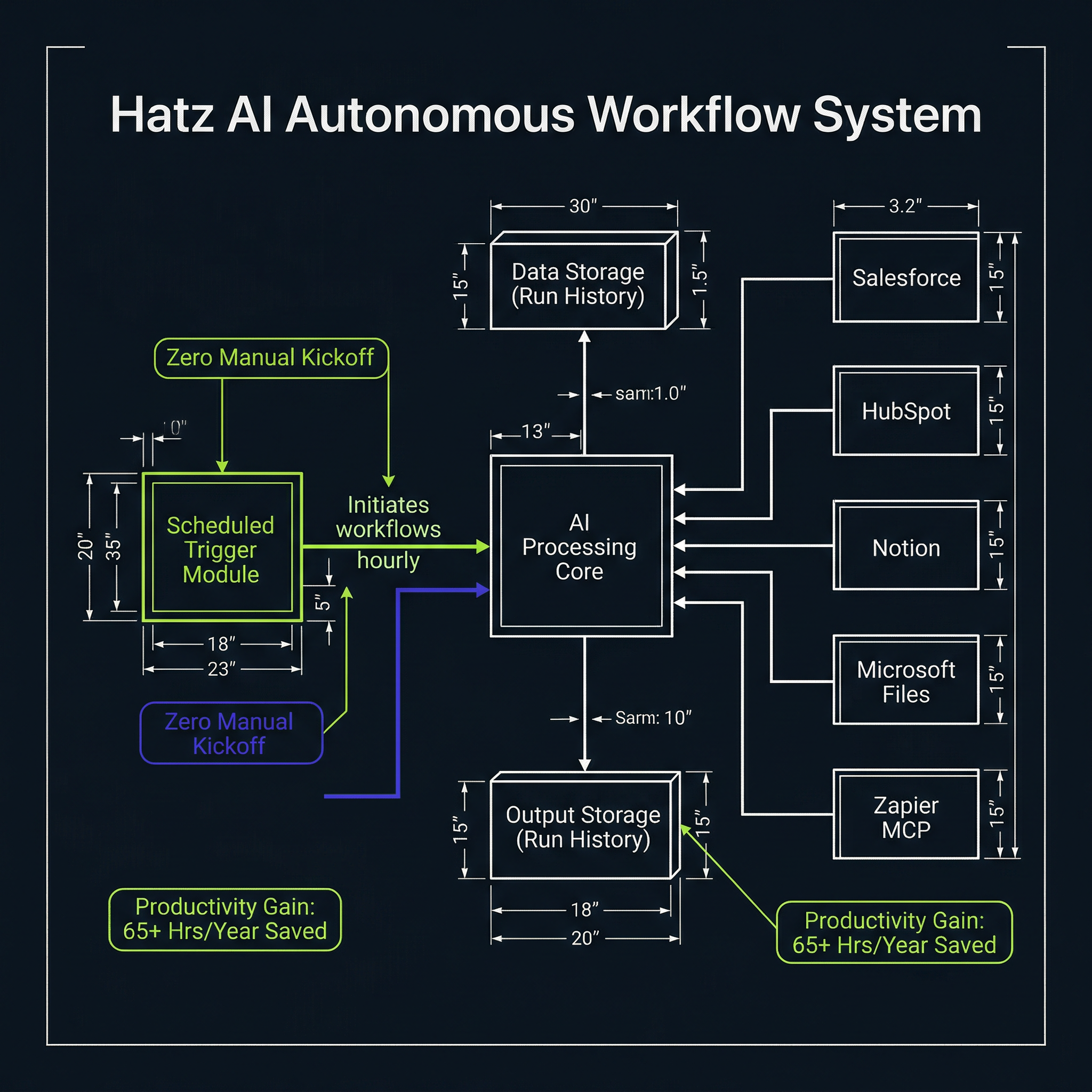
Hatz AI's scheduled workflow triggers eliminate the manual labor of kicking off recurring AI tasks — running hourly, daily, weekly, or custom cron without login, with outputs stored in run history. The catch: triggers max out at once per hour and work best with zero user inputs, where the first step pulls live data from Salesforce, HubSpot, Notion, Microsoft files, or Zapier MCP instead of waiting for someone to fill in a field. This is how you convert an AI tool into an autonomous operational system that runs on a clock.
From the Source
"If you create this trigger, the workflow that it's associated with will run automatically without you having to log into Hatz. It will run, it will generate all of the outputs, and those outputs will live in your run history."
— Automate Your AI Workflows | Hatz AI
Our Take
We see scheduled automation as the inflection point where AI moves from 'tool someone clicks' to 'system that runs the operation.' If a recurring report or data pull takes 15 minutes per day manually, that's 65+ hours per year per workflow — time that compounds when you're running dozens of automated checks across sales, compliance, and operations.
Key Takeaways
- 01Schedule triggers for hourly, daily, weekly, monthly, or custom cron — with time zone control for precise 9 AM Monday runs
- 02Maximum trigger frequency is once per hour — a critical constraint for high-frequency automation planning
- 03Zero-input workflows perform best: start with web search, Microsoft files, Zapier MCP, Notion, Salesforce, or HubSpot data pulls instead of user fields
- 04Simple schedule builder covers 99% of use cases; AI can help write cron expressions for granular needs
- 05All outputs auto-save to run history — no login required to generate or review results
Watch the Source
Automate Your AI Workflows | Hatz AI
Source
Automate Your AI Workflows | Hatz AI
Video embedded above — watch without leaving the site
Extracted and verified via Adversarial AI Pipeline
Get the IE.AI Weekly Brief
Top 3 AI-distilled industrial engineering insights, every Sunday. No fluff.
No spam. Unsubscribe anytime with one click.